AI Workflows Chrome Extension Documentation
Contents
Overview
The Chrome Workflows Extension allows you to automate repetitive tasks within your browser by creating workflows composed of various steps. These workflows can interact with web pages, LLMs, APIs, and popular services like Google Workspace, Microsoft Office, Slack, and more.
What is a Workflow
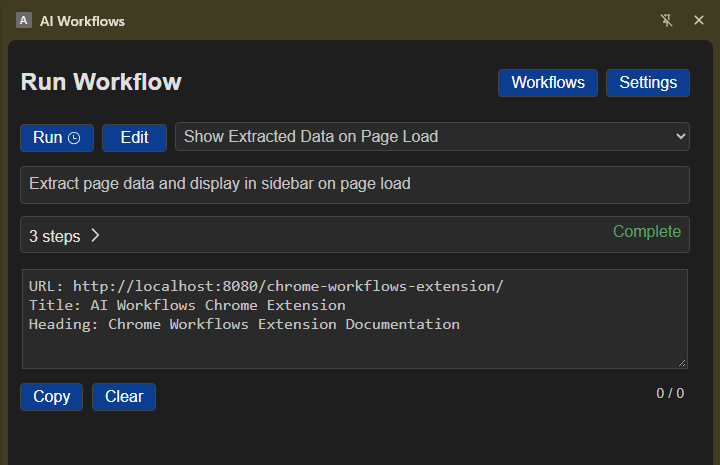
A workflow is a sequence of steps that automate tasks within the Chrome Workflows Extension. Each step performs a specific action, such as updating fields or clicking elements in the current tab, making an API or LLM request, updating a Google Doc or sending an email. Workflows allow you to streamline repetitive tasks and integrate various services seamlessly.
Get Started
To get started with the AI Workflows Chrome Extension:
- Install the extension from the Chrome Web Store.
- Click on the extension icon in the Chrome toolbar to open the extension sidebar.
- A default workflow will be displayed, and you can start configuring it according to your needs.
- You can use sample Workflow templates by clicking 'Create' in the top menu.